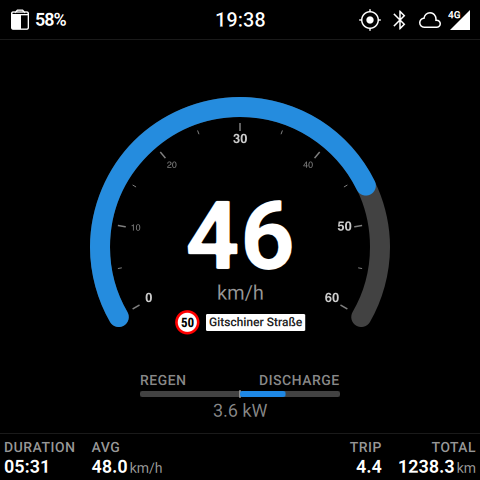
Librescoot 1.0 is here! This is our first stable release of free and open-source firmware for the unu Scooter Pro. It comes with an installer for Linux, macOS and Windows, and a handbook covering setup and everyday use.
Navigation and everyday use
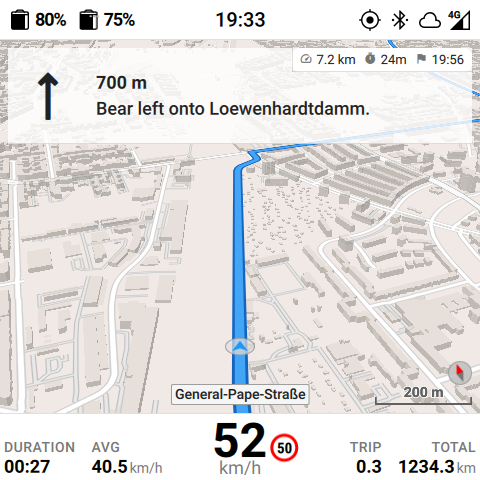
Offline navigation brings maps and directions to the scooter’s display. The map data is stored on the scooter, so navigation works without a phone on the handlebars or a mobile connection.
The steering lock can work automatically: moving the handlebars while the scooter is unlocked releases it, and it locks again shortly after the scooter is switched off. A motion alarm can protect the scooter while it is parked.
These features do not require a SIM card. Maps, navigation, the alarm and USB updates all work offline. A SIM adds remote access and updates over the mobile network, but riding does not depend on it.
The dashboard has configurable light and dark views. If the rear battery slot
has been fitted, both batteries appear in the status bar. Librescoot also
includes keycard management, a WireGuard VPN and the lsc command-line tool for
advanced configuration and diagnostics.
Updates are available on three channels: stable, testing and nightly. They are delivered as smaller delta downloads where possible.
Installing Librescoot
Connect the scooter over USB and follow the installer. It downloads the firmware and maps for the selected channel, shows the detected hardware for confirmation, installs Librescoot on both boards, and then sets up offline maps, Bluetooth and the keycard.
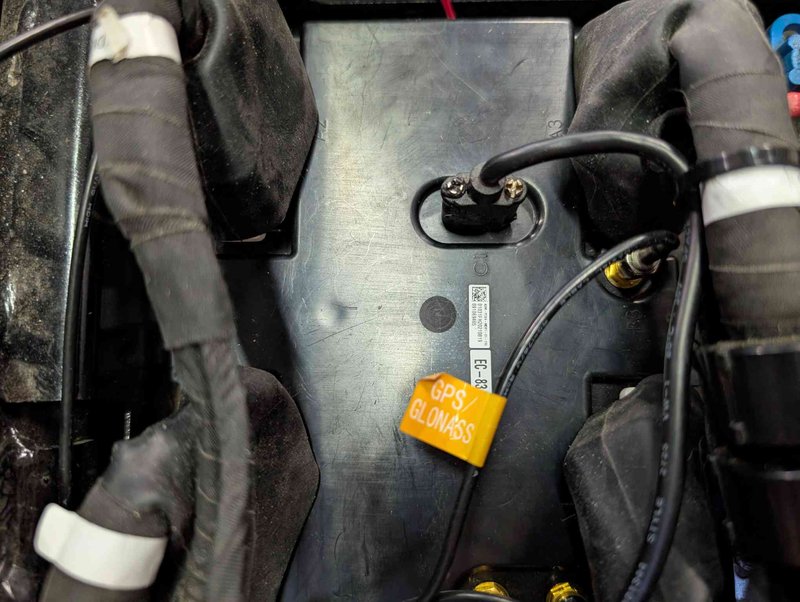
Installation takes around twenty minutes. You will need a USB cable and a screwdriver to open the footwell.
We publish Linux, macOS and Windows builds together. Linux has received the most real-world testing so far; macOS and Windows work too, but have been tested on fewer scooters. The installer is still marked as beta software, and reports from all three platforms are welcome, especially when something does not work as expected.
The handbook
The Librescoot handbook covers the first steps after installation, the dashboard and brake-lever controls, riding, batteries and vehicle states, navigation, updates and troubleshooting. It also explains the main changes for people coming from scooterOS.
Thank you to everyone who contributed code, tested early versions, reported problems and helped with the documentation.